Give OpenClaw access to sandboxed JavaScript execution
Let your AI agent create, deploy, and run serverless functions in a secure cloud sandbox
What is the microfn skill?
The microfn skill teaches your AI agent how to create, deploy, and execute serverless JavaScript functions. With this skill, your agent can extend itself with custom tools on the fly.
Need to fetch weather data? Send notifications? Call a private API? Your agent can write a function, deploy it to Microfn, and immediately start using it. It's like giving your AI the ability to build its own toolbox.
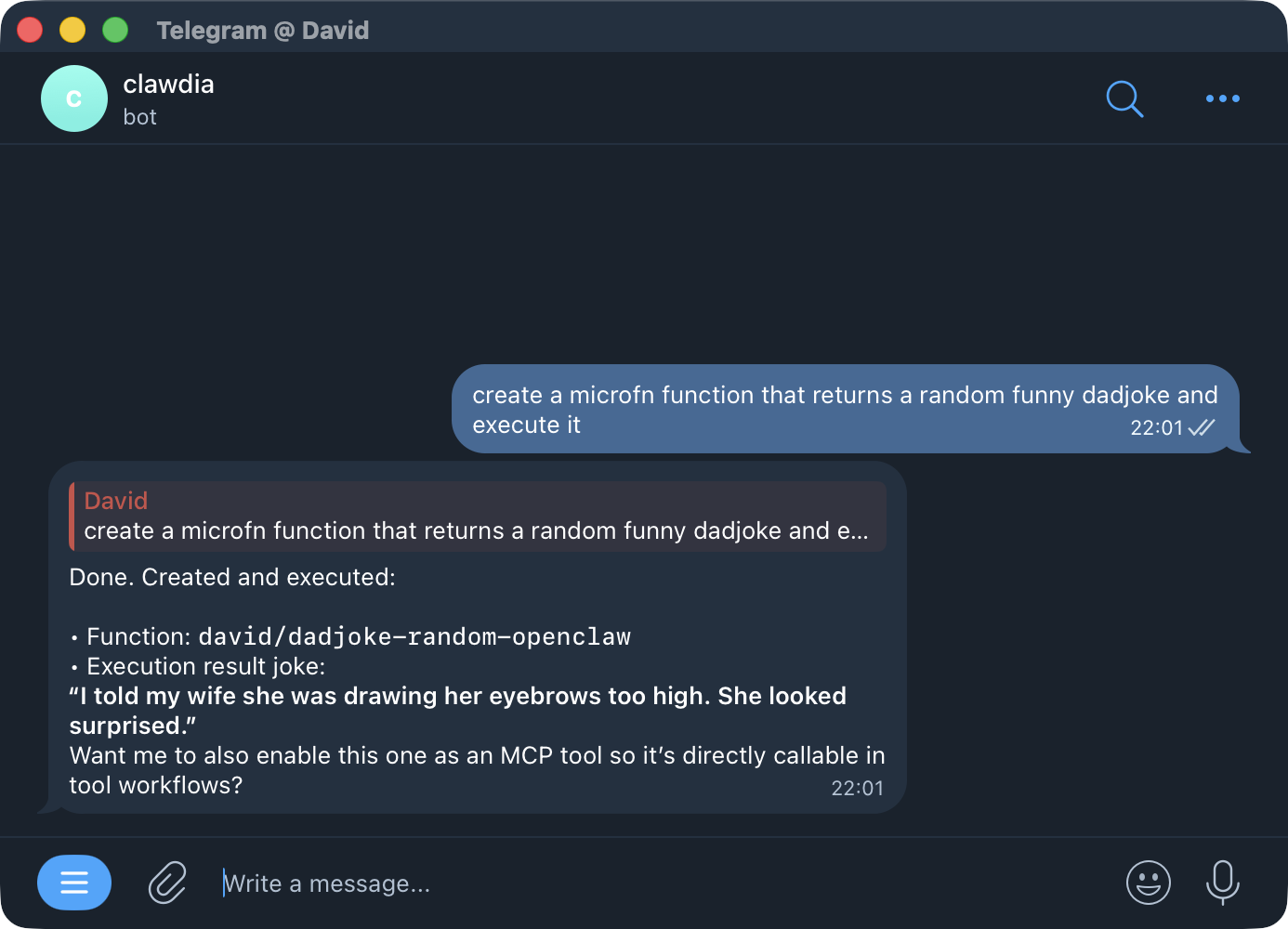
Sandboxed Code Execution
Microfn provides OpenClaw with a sandboxed code runner in the cloud. Your agent can write JavaScript code, deploy it to an isolated environment, and execute it safely - without any risk to your local machine.
With Microfn, OpenClaw can:
- Create tools - Write and deploy new functions that become callable tools
- Use tools - Execute those functions with parameters and get results back
- Update tools - Modify existing functions to fix bugs or add features
This turns OpenClaw into a self-extending agent. When it encounters a task that requires a capability it doesn't have, it can create a new tool, use it immediately, and refine it over time.
Step 1: Install the Skill
Tell OpenClaw to install the Microfn skill from GitHub:
OpenClaw will fetch and configure the skill automatically. The skill teaches your agent how to use the Microfn CLI to manage serverless functions.
Step 2: Generate an API Token
Create a Personal Access Token to authenticate your agent with Microfn:
- Visit microfn.dev/users/settings/api
- Click "Generate New Token"
- Give it a descriptive name (e.g., "OpenClaw Agent")
- Copy the generated token
Step 3: Configure OpenClaw
Tell OpenClaw to use your API token for Microfn authentication:
OpenClaw will securely store the token and use it when executing Microfn commands.
What Your Agent Can Do
Once configured, your agent can:
- Create and deploy serverless JavaScript functions
- Execute functions with custom parameters
- Store and retrieve persistent data using KV storage
- Manage secrets for secure API access
- Build custom tools that extend its own capabilities
Your agent becomes self-extending: it can create new tools as needed during conversations.
Example Use Cases
- Weather service - Fetch and cache weather data from any API
- Notifications - Send messages to Discord, Slack, or email
- Data processing - Transform, validate, or analyze data
- API integrations - Connect to Stripe, GitHub, Twilio, and more
- Stateful workflows - Remember context between conversations
Resources
Learn more about Microfn Skills:
- Microfn Skills Repository
- Microfn CLI Documentation
- Microfn MCP Server - Alternative integration via Model Context Protocol
Need Help?
If you need assistance with setup or have questions about the integration, contact us at: [email protected]